
Have you ever had the need to define a square bounding box instead of the classic rectangular bounding box?
With this tutorial I show you how to define a square bounding box using PostGIS
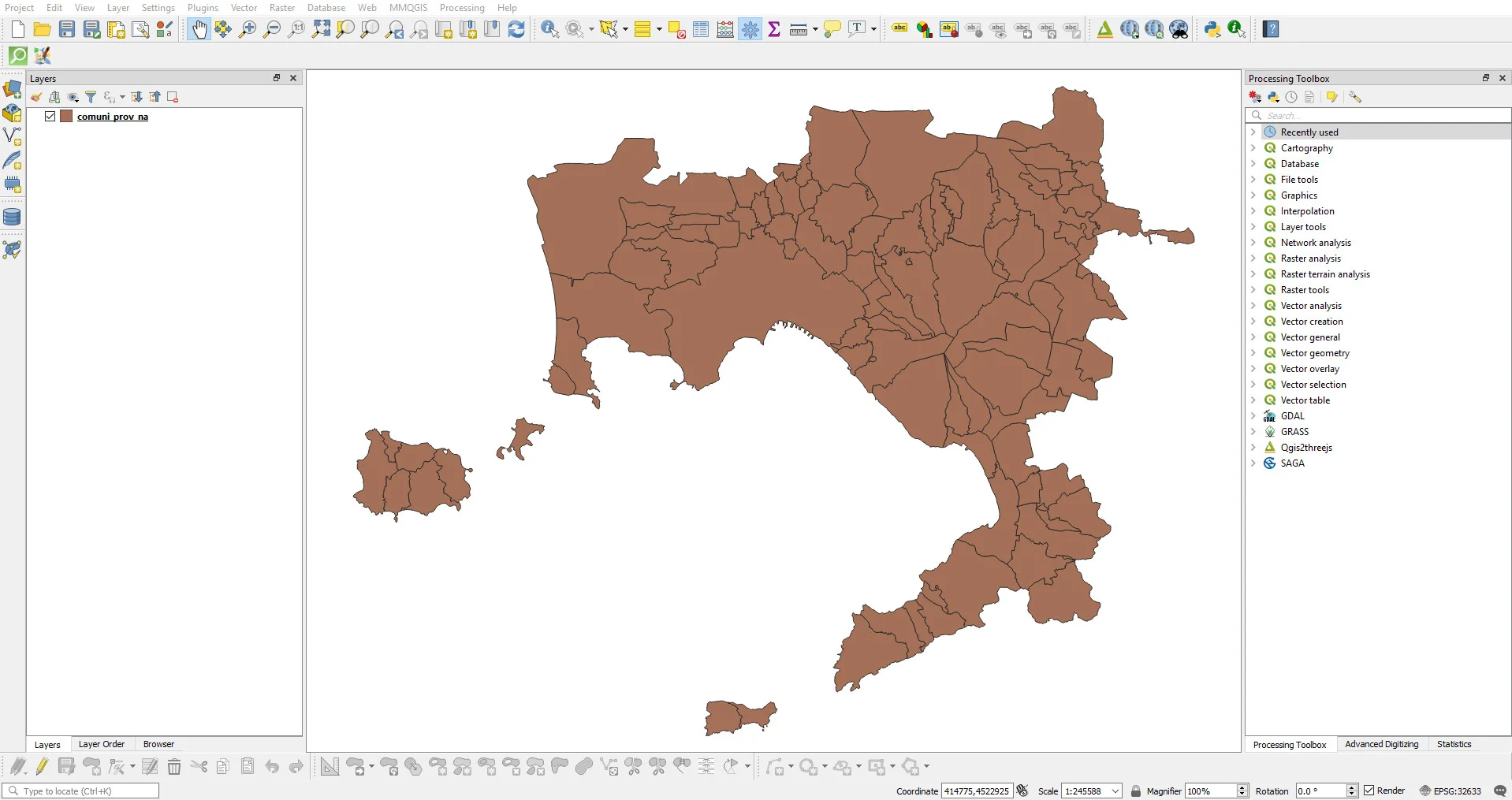
The data I will use for this tutorial it is the set of Municipalities of the City Naples Metro which you can download here, I will go therefore to create 92 square bboxes, one for each individual Municipality.
Euclidean geometry tells us that a polygon can be inscribed in a circle if all its vertices belong to the circle and, again, a circle is inscribable in a polygon when all the sides of the polygon are tangent to the circumference. If you don't like it still clear why I'm talking to you about inscribed and circumscribed circumferences, it will certainly be useful to you. clear below!
The first step to take is extract the circumferences that circumscribe the municipal boundaries; is You can do this with the ST_MinimumBoundingCircle function using the following syntax:
CREATE TABLE circle_comuni AS
SELECT
common,
ST_MinimumBoundingCircle(geom) as geom
FROM comune_prov_na
GROUP BY comune, geom;
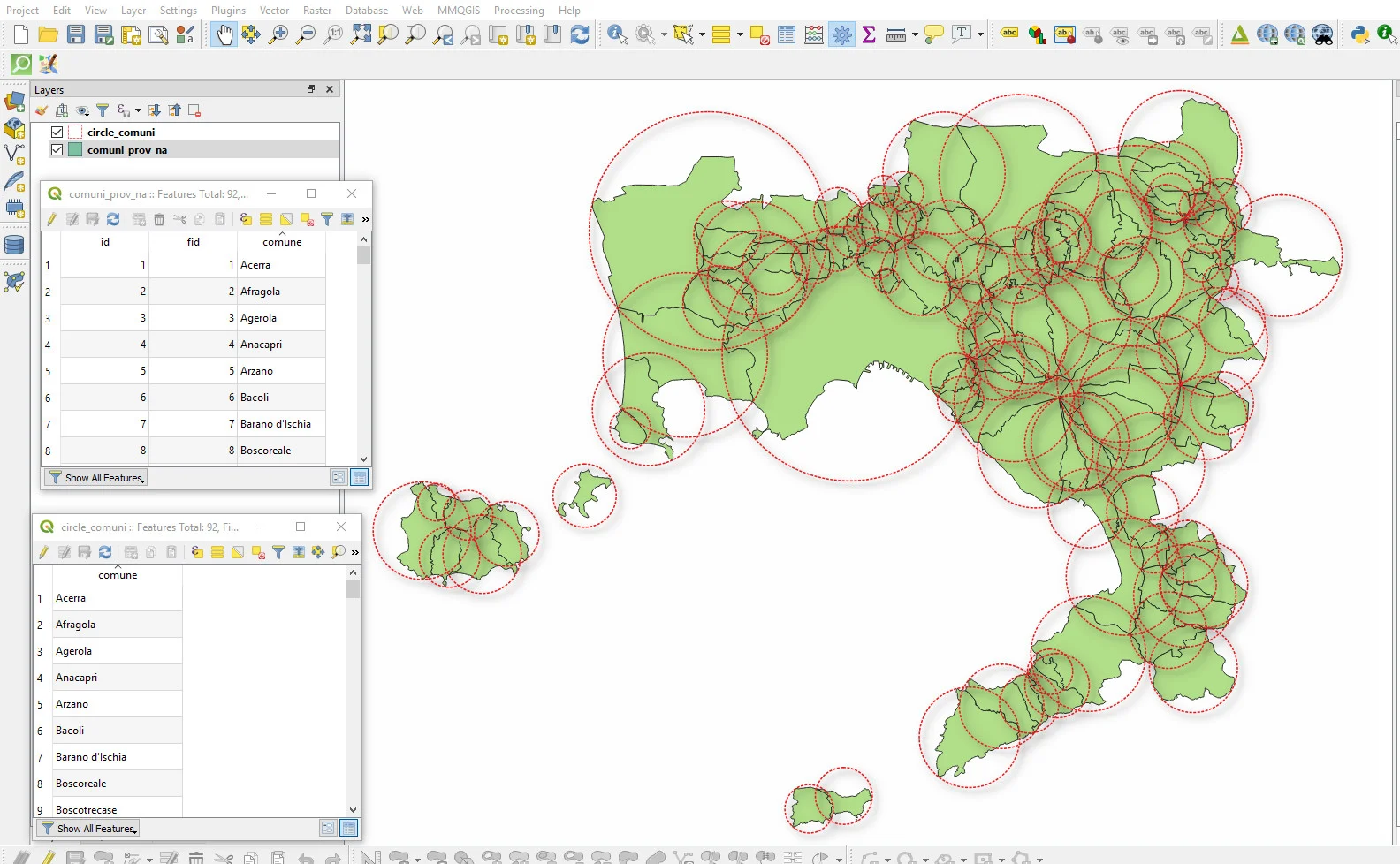
At this point it should be clear to you why I started by talking about Euclidean geometry. I got 92 circumferences but the purpose of this tutorial is get 92 squares. And’ the square is one of the regular figures in which I can inscribe and circumscribe a circumference!
Using the ST_Extent will to define the 92 squares in which the 92 circumferences are inscribed. However, the ST_Extent function alone it is not sufficient because it does not generate a geometric column but a box2d type column, you can learn more at this link if you want.
To get our squares we need to couple a CAST to the ST_Extent function. A CAST is a particular type of function that converts data from one type to another. In our case we need to use it to convert the box2d of ST_Extent to geometry; the syntax I used is this:
CREATE TABLE square_comuni AS
SELECT
common,
CAST(ST_Extent(geom) as geometry) as geom
FROM circle_comuni
GROUP BY common;
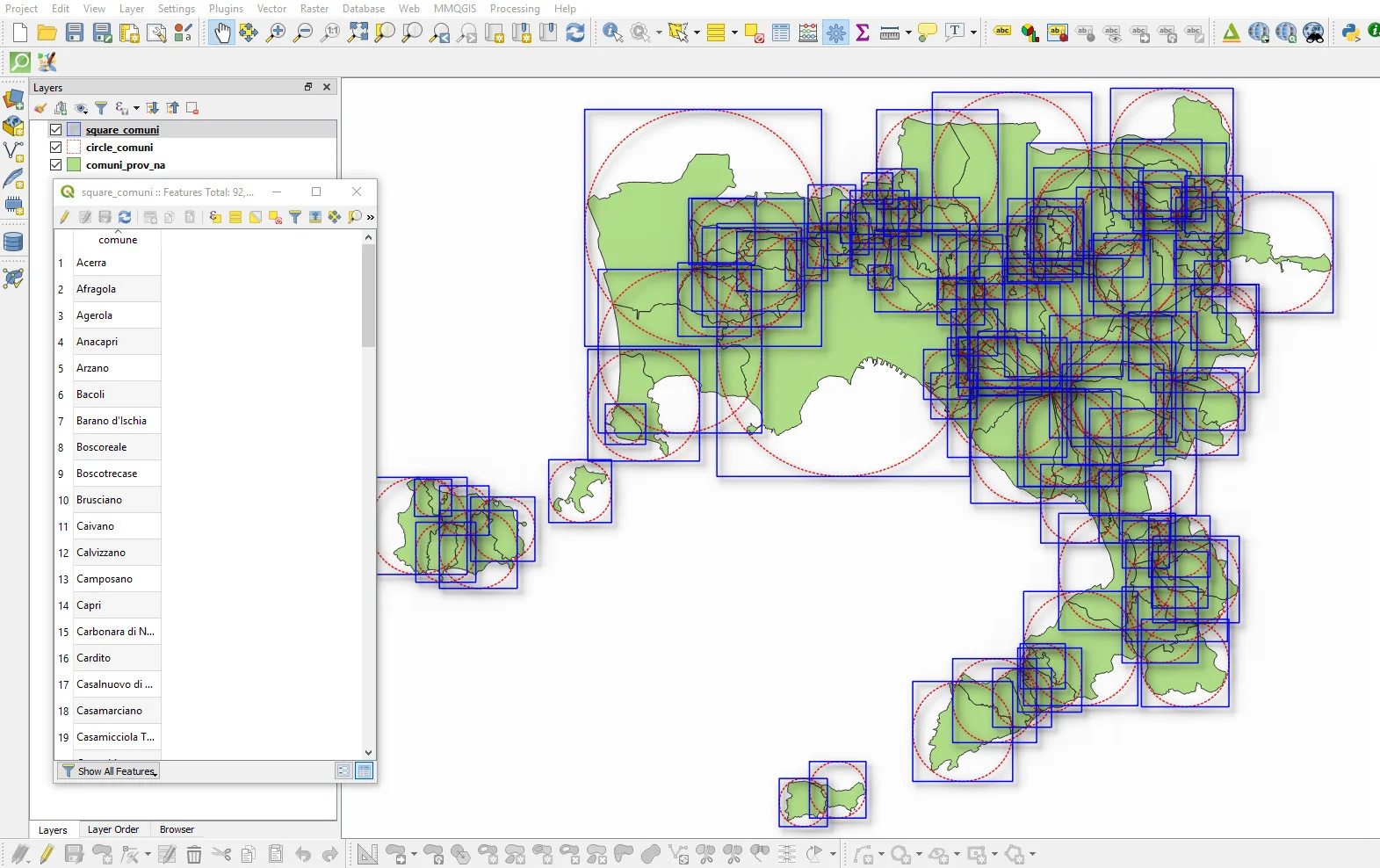
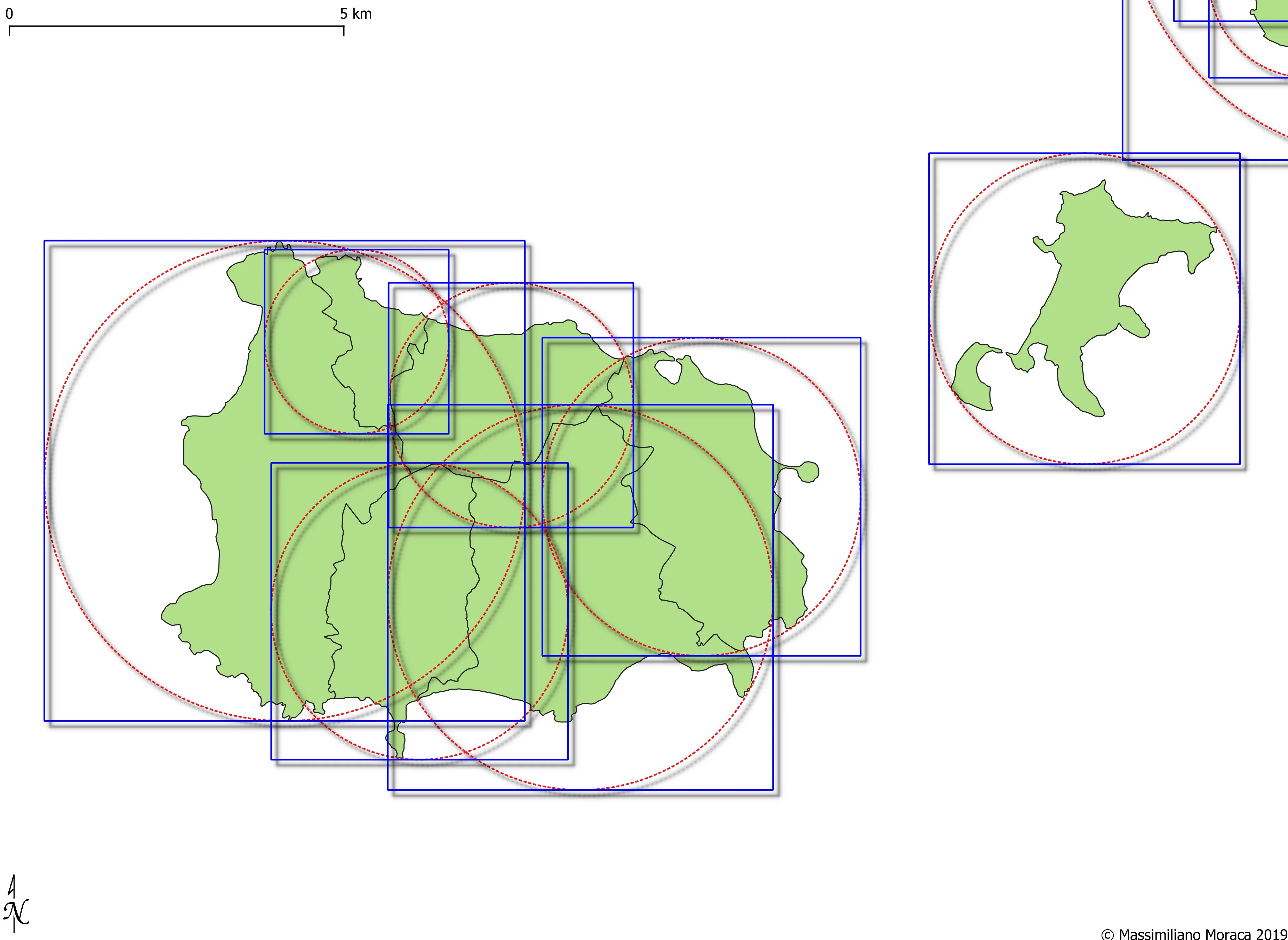
It's all very simple, isn't it?
See you next time!
PS: to better explain the process I have divided the individual steps into two queries but you can use a single query bypassing the creation of the table with the circles in this way:
CREATE TABLE combo AS
SELECT
common,
CAST(ST_Extent(ST_MinimumBoundingCircle(geom)) as geometry) as geom
FROM comune_prov_na
GROUP BY common;