
Working on OSM data I found myself having to face a small but big problem of superposition of linear vectors.
I downloaded a large amount of data relating to the hydrography of eastern France using the plugin QuickOSM and, since the area was really large, I had to divide it into quadrants of 100km on each side. Only in this way, taking advantage of every single quadrant, was I able to download correctly and without exceeding the server's maximum response time.
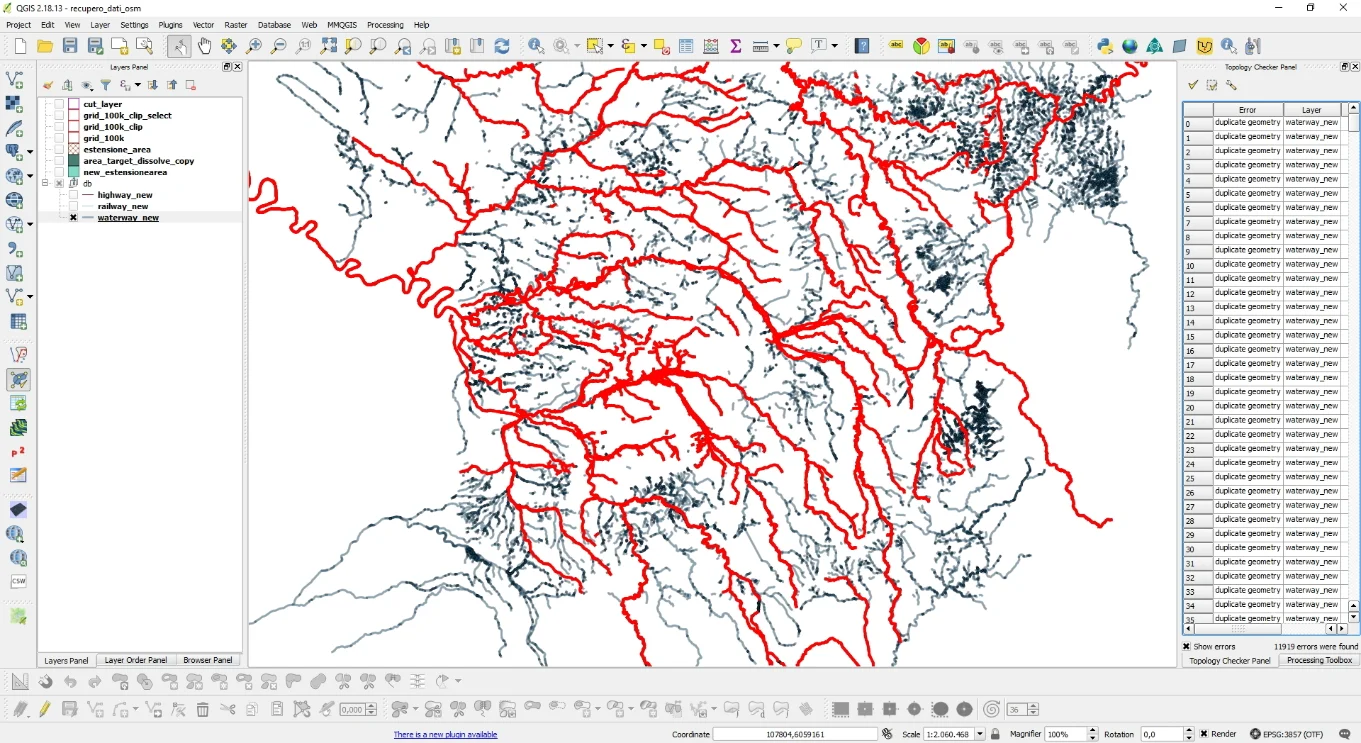
This procedure, however, has gave rise to the problem that led me to write this article and the video tutorial that you will find at the bottom. In practice, every time I downloaded the hydrography from a quadrant and it was crossed by rivers which in turn crossed other quadrants, these were also loaded into the active quadrant at that moment and, given that everything merged into a single linear vector present in a GeoDB contained in PostGIS, I found lots of duplicates; specifically 11,919! The duplicates, in addition to making the vector heavy, made it affected by topological errors.
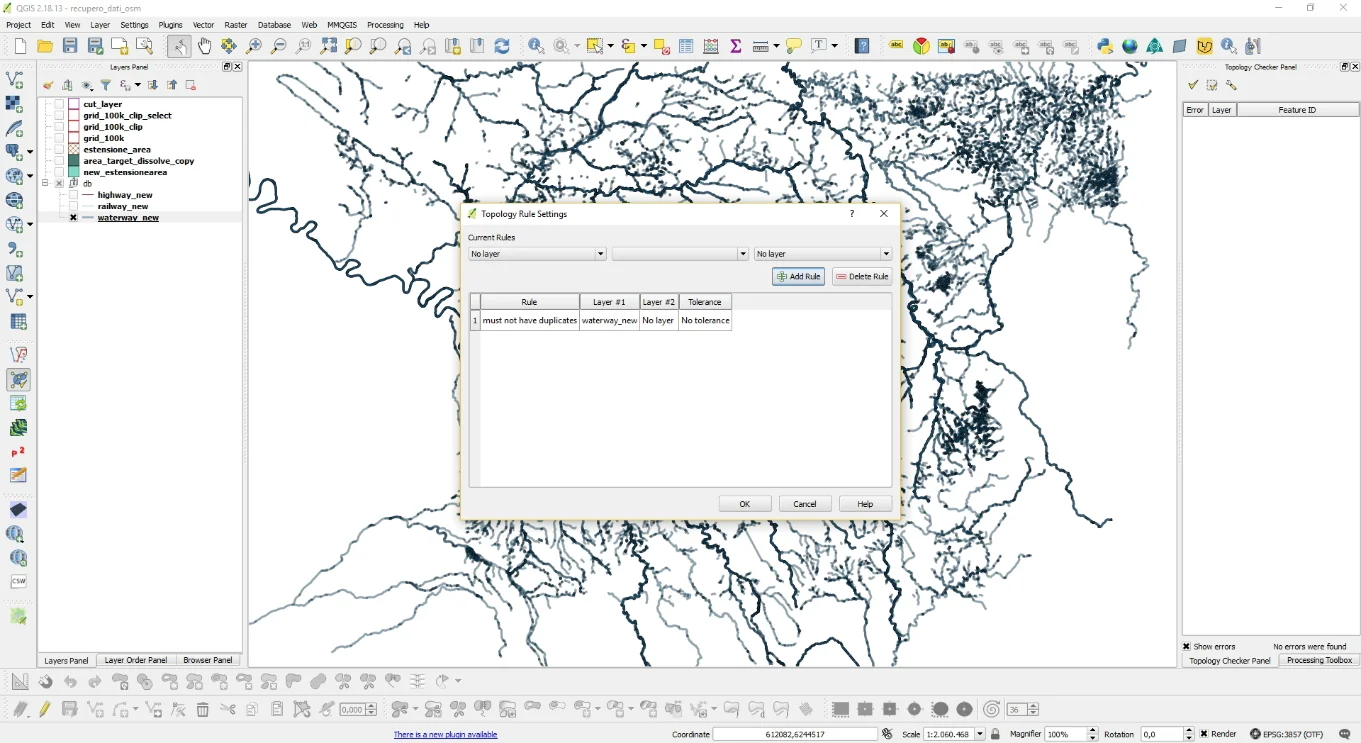
I noticed these duplicates because it was I did a topology check with the plugin Topology Checker setting the check on duplicates, so as displayed in the following image.
Once the check has been carried out, the result was what you see below.
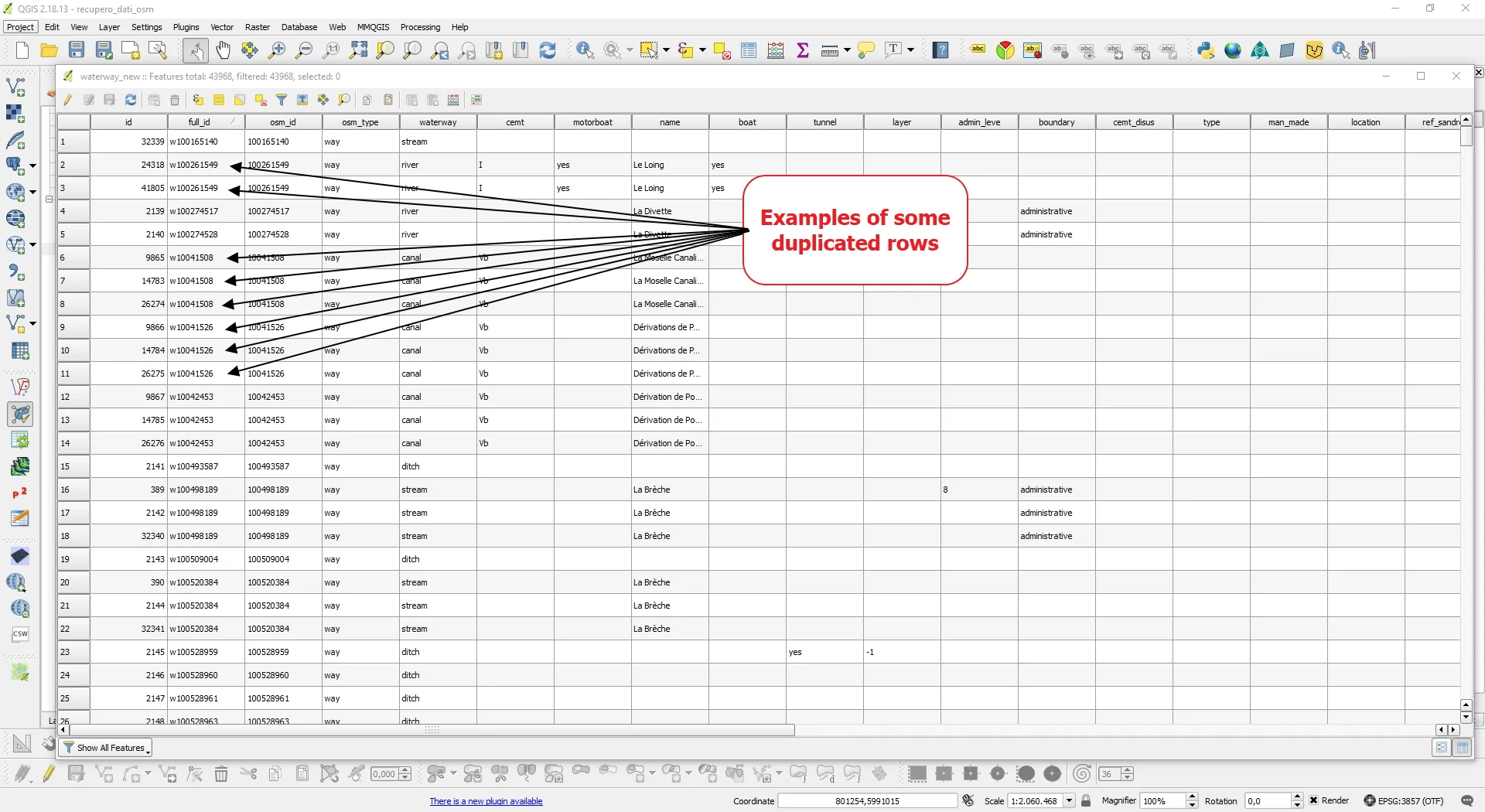
By investigating the attributes table I noticed the presence of the full_id column and, looking at the feature ID of the duplicate geometries present in the Topology Checker report, I noticed that in that column the duplicates were easily identifiable because it was they had the same full_id.
Instinctively I felt like this concentrated on that column and since I wanted to solve everything using SQL I did some research on the web on how to eliminate the problem.
I first ran this query:
SELECT

full_id,

COUNT(full_id) AS counter

FROM waterway_new

GROUP BY full_id

ORDER BY counter;
By thus identifying a list of duplicates. Some rivers were duplicated even 7 times!
Then I used the following query to create a new duplicate-free vector:
CREATE TABLE waterway_new_noduplicate AS

SELECT DISTINCT ON (full_id) *

FROM waterway_new;
I have included the entire procedure in the video tutorial below. Another way could have been to use the plugin MMQGIS without using SQL.