
A few days ago I published an article containing a personal reflection on the flood-prone areas of Italy; that analysis was possible thanks to ISTAT and MiTE data. In this article I want to discuss the problems I encountered while working with those datasets.
Let's start with the tools involved: to complete the task I gave myself I had to use Python, SQL and QGIS. I would have liked to use only QGIS but apart from the usual topological problems I also ran into other problems.
Problem 1
The census data divided by Region and downloadable from the ISTAT website appear to be non-homogeneous from the point of view of encoding. This was quite frustrating because, using Pandas, I would have liked to simply concatenate all the census datasets divided by region into a single DataFrame. By searching around and inventing a few things I managed to do it anyway. I have a question (who knows if it will be answered): why did the 20 regions use three different encodings?
with open(csv, 'rb') as rawdata:
    result = chardet.detect(rawdata.read(10000))
    if result['encoding'] == 'ascii':
        result['encoding'] = 'latin1'
if target:
    df = pd.read_csv(csv, encoding=result['encoding'], sep=';')
I took inspiration from this article for this piece of code. The script reads 10,000 lines from the csv trying to define the encoding and assigning a certain probability to the final result. Obviously, the higher the probability, the more certain we can be that the encoding is actually the one indicated in result['encoding'], but I still had to be a little creative to manage all three encodings found in those files.
Once this was done, I was able to merge everything into a single DataFrame that could also be exported to Excel if necessary:
def __census_data(
        input_data: Union[str, pathlib.PosixPath],
        year: int = 2011,
        ref_column: str = "P1",
        output_data_folder: Union[str, pathlib.PosixPath] = None,
) -> None:
    census_data_folder = input_data / f"census{year}" / 'data' / 'Census Sections'
    print("- List files ...")
    files = tqdm(list_files_folders(path=census_data_folder, file_extension='.csv', type_on='files', subfolder=False))
    census_array = []
    for file in files:
        # Convert str to path
        csv = Path(file)
        # Select only census data
        target = re.findall("R", file)
        # Look at the first ten thousand bytes to guess the character encoding
        with open(csv, 'rb') as rawdata:
            result = chardet.detect(rawdata.read(10000))
            if result['encoding'] == 'ascii':
                result['encoding'] = 'latin1'
        if target:
            # Extract only useful columns and put all into a DataFrame
            df = pd.read_csv(csv, encoding=result['encoding'], sep=';')
            data_columns = [
                "CODREG", "REGION", "CODPRO", "PROVINCE",
                "CODCOM", "MUNICIPALITY", "PROCOM", "SEZ2011",
                "NSEZ", ref_column,
            ]
            data = df[data_columns]
            data.rename(columns={ref_column: "target"}, inplace=True)
            files.set_description("processing %s" % file)
            census_array.append(data)
    print("- List files | DONE ...")
    # Create census DataFrame
    print("- Create DataFrame ...")
    census = pd.concat(census_array)
    print("- Create DataFrame | DONE ...")
    if output_data_folder is None:
        return census
    else:
        file_name = f'census_data{year}.xlsx'
        census.to_excel(output_data_folder / file_name, sheet_name=str(year))
        print("- DataFrame saved as %s." file_name)
I was interested in only the column of the total population per census cell, hence the selection of only P1.
Problem 2
Topological errors to die! Both ISTAT and MiTE sides! For example this is what comes out by checking directly on the MiTE WFS:

The errors are the ones in red, for a total of 646. I won't hide from you that some polygons were unusable and I had to throw them away; like those that refer to the western area of Sardinia in the Terralba area.
Lucky that already in the past I have faced this problem. Doing a topological check is not difficult at all, if it were done upstream to the operator who creates/loads the data it would take 1 minute, timed; and with another minute any errors would be corrected. These 2 minutes, maximum, spent before putting the data online save many of us poor users who always think that the data is correct, clean, the way we produce it; but only after various unsuccessful analysis attempts do we realize that the problem we encounter was not created by us but lies in the basic data. Is it possible to include in the tender specifications and internal regulations of the PA that the data must be previously cleaned and normalized before making them available to users?
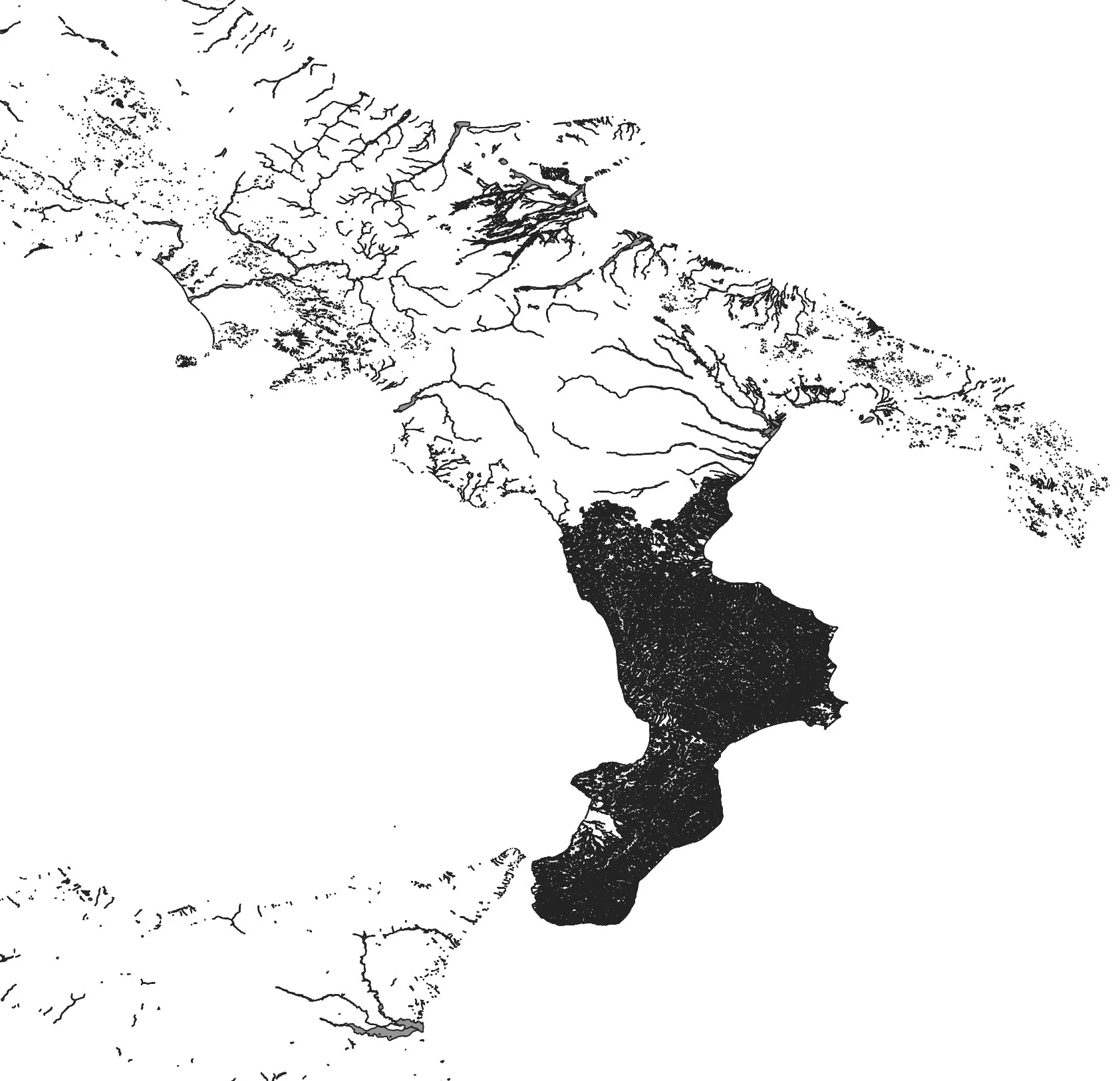
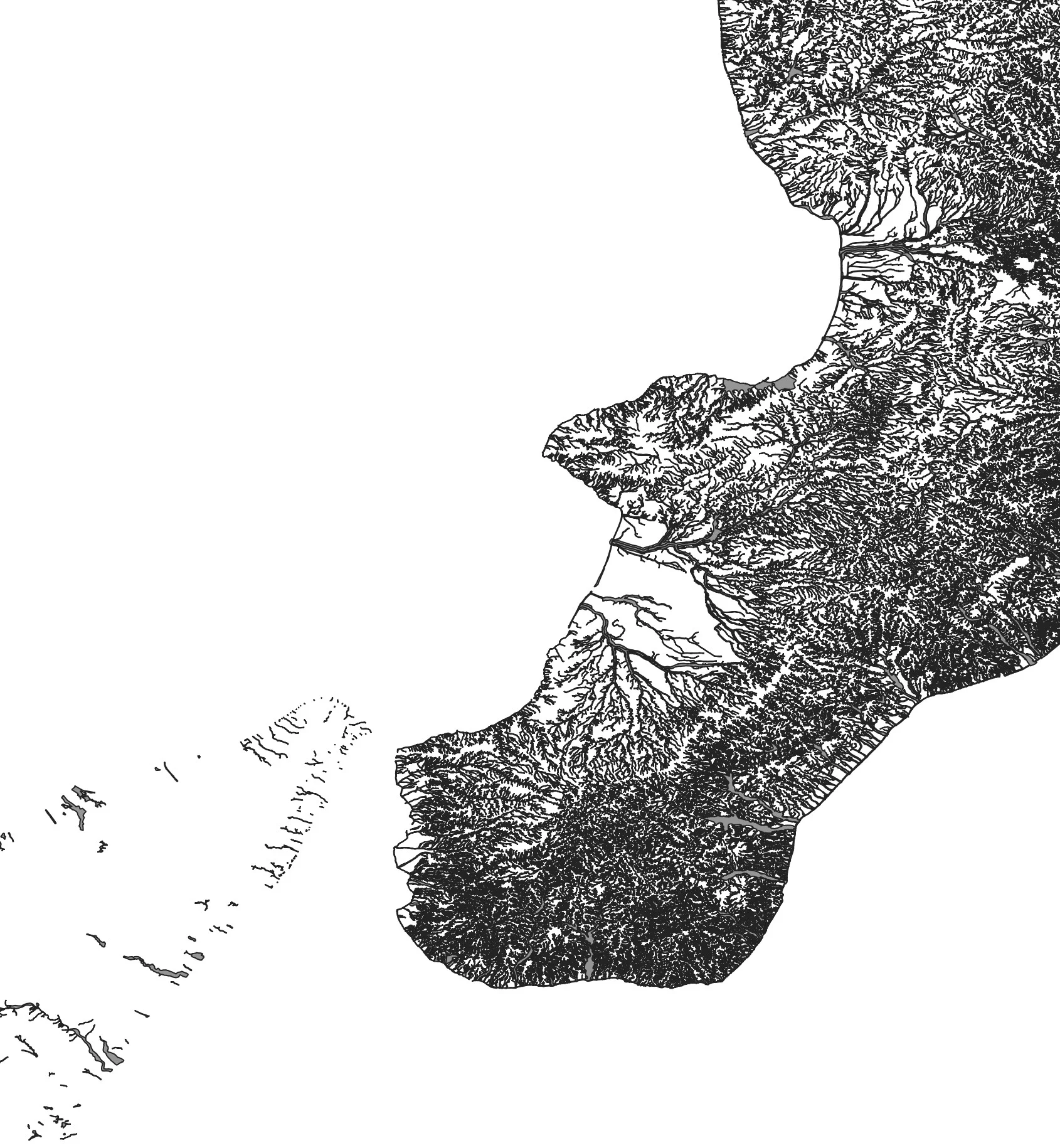
Another thing: but why? in these 2018 data there is a hole in Trentino-Alto Adige and Marche? And why Calabria has that very high density of data? It seems to me that in that case all the Calabrian hydrographic networks were thrown in and not just the areas at risk.
Returning to the ISTAT data, after the topological correction I managed to associate the population per census cell with the relevant polygon:
def census_merge(
        input_data: Union[str, pathlib.PosixPath],
        year: int = 2011,
        ref_column: str = "P1",
        output_data_folder: Union[str, pathlib.PosixPath] = None,
) -> None:
    # Get Census data
    census_data = __census_data(input_data, year, ref_column)
    # Get census geodata
    census_geodata = __census_geodata(input_data, year)
    # Create GeoDataFrame
    print("- Make Geodataframe with requested census data ...")
    census = gpd.GeoDataFrame(pd.merge(left=census_geodata, right=census_data, on='SEZ2011', how='left'), crs='EPSG:32632')
    dropped_columns = [
        "CODREG", "REGION", "CODPRO", "PROVINCE",
        "CODCOM", "COMMON", "PROCOM", "NSEZ",
    ]
    census.drop(dropped_columns, axis="columns", inplace=True)
    # Compute census cell area
    census.loc[:, "geom_area"] = census.area
    # Put columns name in lower case
    census.columns = census.columns.str.lower()
    # Compute target density percentage
    census.loc[:, "density_percentage"] = census["target"] / census["geom_area"]
    print("- Make Geodataframe with requested census data | DONE ...")
    if output_data_folder is None:
        return census
    else:
        file_name = f'census_{year}.gpkg'
        census.to_file(output_data_folder / file_name, driver='GPKG', layer='census')
        print("- GeoDataFrame with requested census data saved as %s in %s", file_name, output_data_folder)
The function __census_geodata does nothing other than take all the shp of the census cells and put them in a single GeoDataframe.