
In recent days I have found myself in the situation of having to georeference a PDF. Unfortunately the starting pdf had no known points, so once transformed into a raster, as I explain here, I found myself faced with the problem of how to georeference it. Not bad!
What do we need for this simple operation:
- raster without known points;
- geo-referenced cartography of the area of interest;
- QGIS or similar software;
- patience (conditio sine qua non!);
- attention (conditio sine qua non!).
The process for georeferencing a raster is simple. quite similar in the various programs on the market. In this little tutorial I will use QGIS but more that the program is It is important to know the method and the method I will use. is that of the GCP -Ground Control Points.
We start QGIS, load a shp that reproduces the area referred to by the raster and activate the "Georeferencer" function
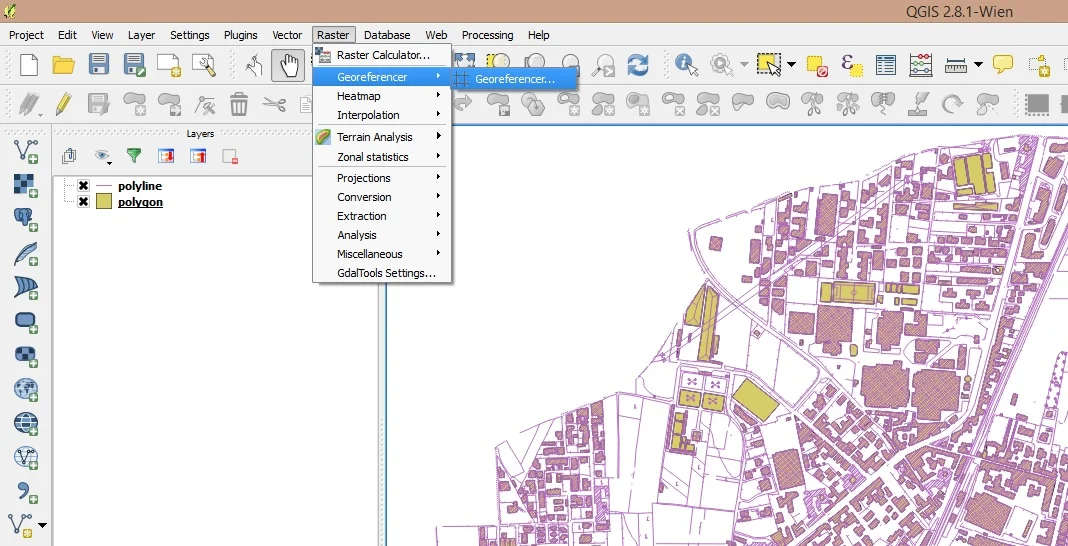
It will open a window like this:
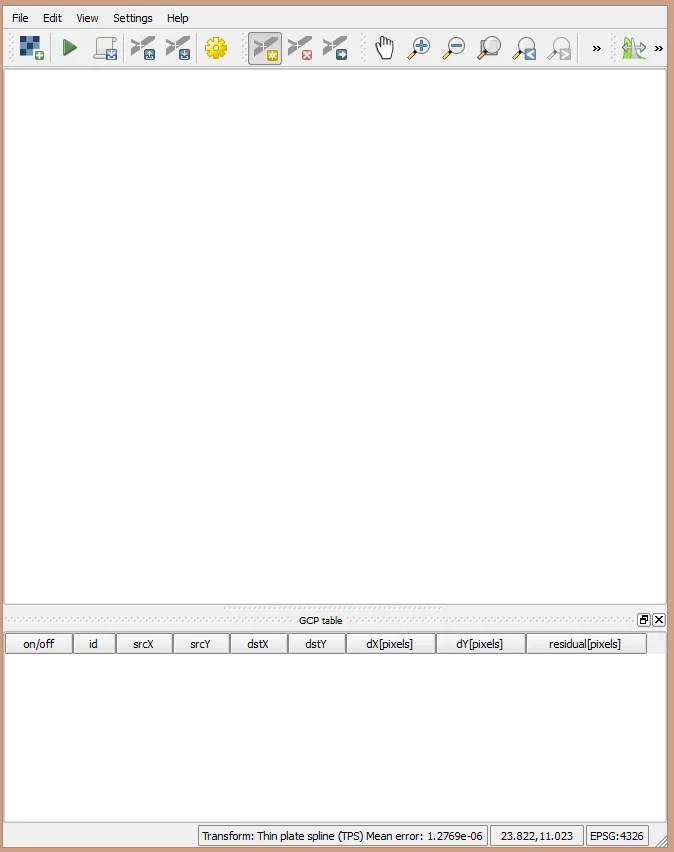
At this point load the raster to be georeferenced by going to or in File > Open rasteror by clicking on the checkerboard icon at the top left. With the raster loaded, choose an area and zoom in to insert the first GCP. I generally insert 5 - 10 points well distributed over the entire territory represented by the raster. It is best to take the buildings as references but be careful to check that the building you have chosen on the raster is present in the shape file.
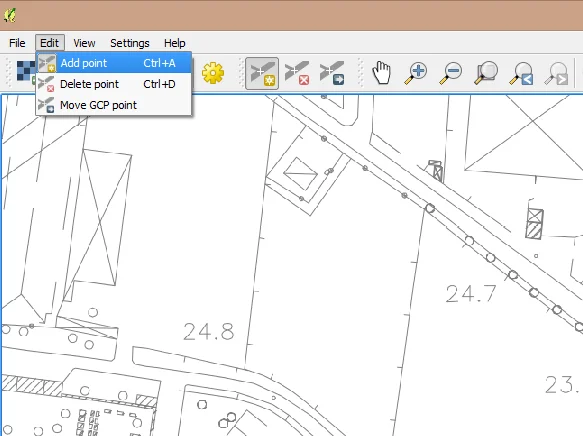
Go now or Edit > Add pointor click on the appropriate icon to the right of the gear icon and insert the first point.
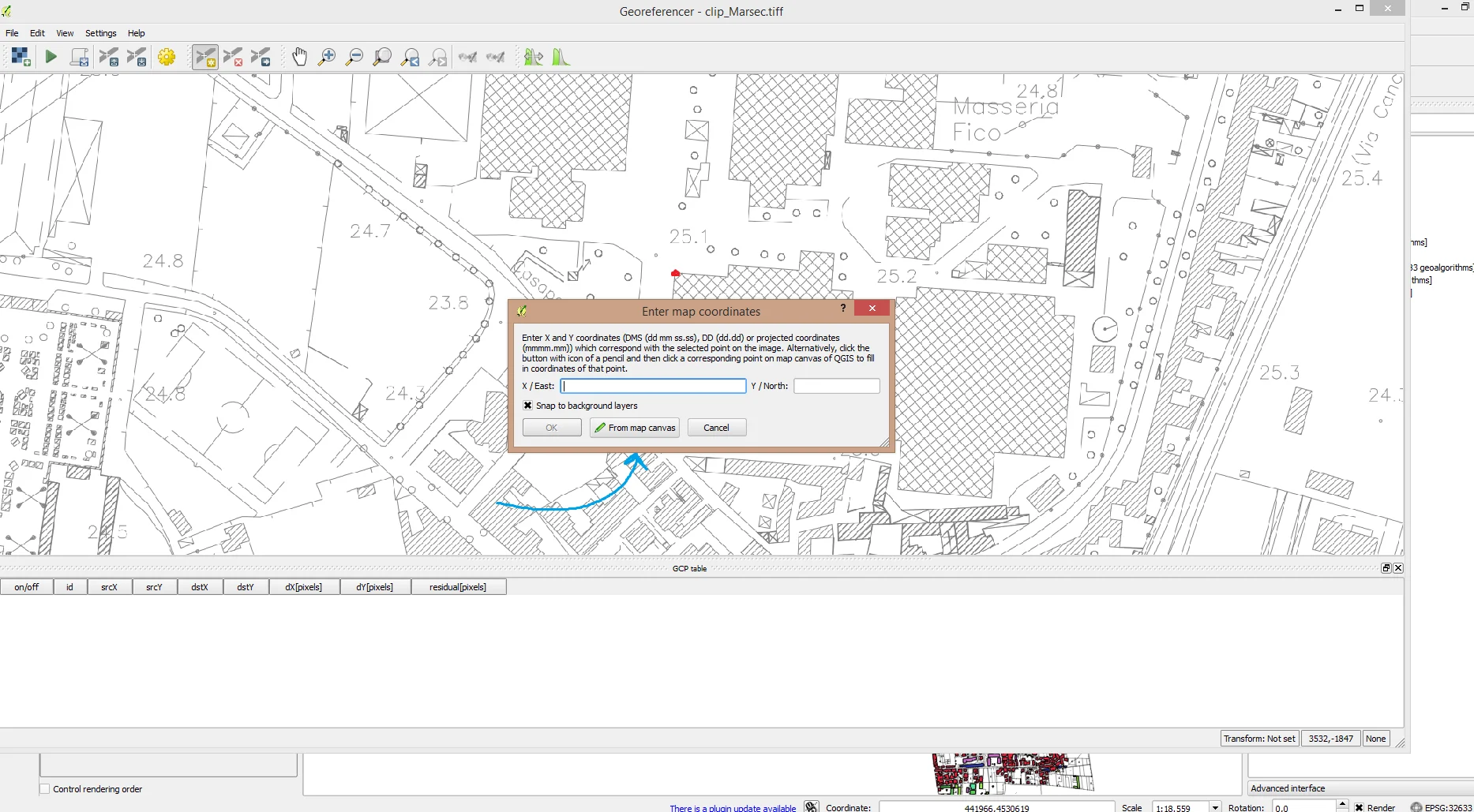
The following will appear. a window like the one above, click on "From map canvas", locate the point you have chosen in the raster on the shape file, select the point and then click on "Ok". You will have a result like the following:
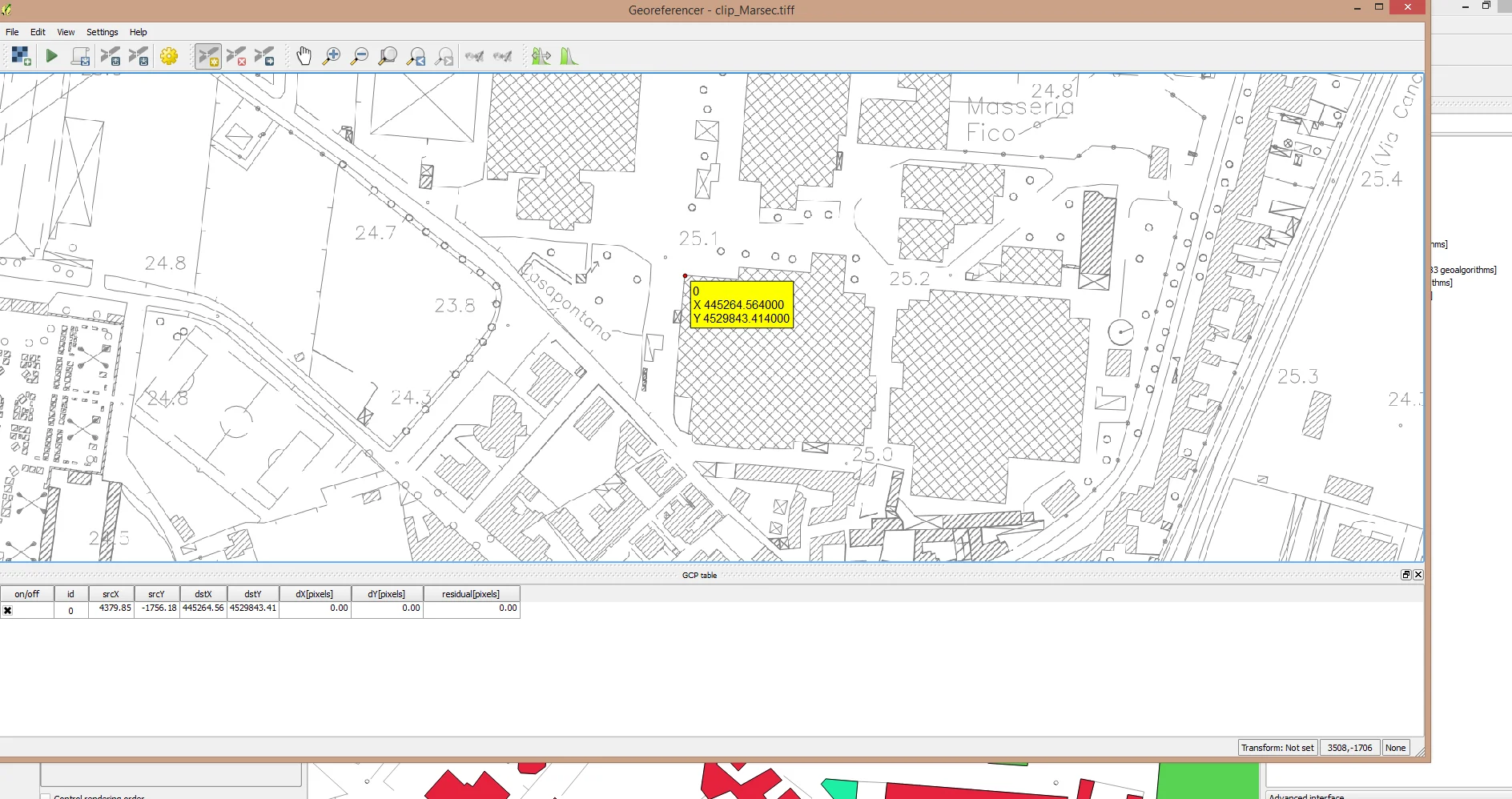
As you can see in the lower part of the application it is a point was added. Iterate this process another 5 - 10 times to obtain a good distribution of GCP.
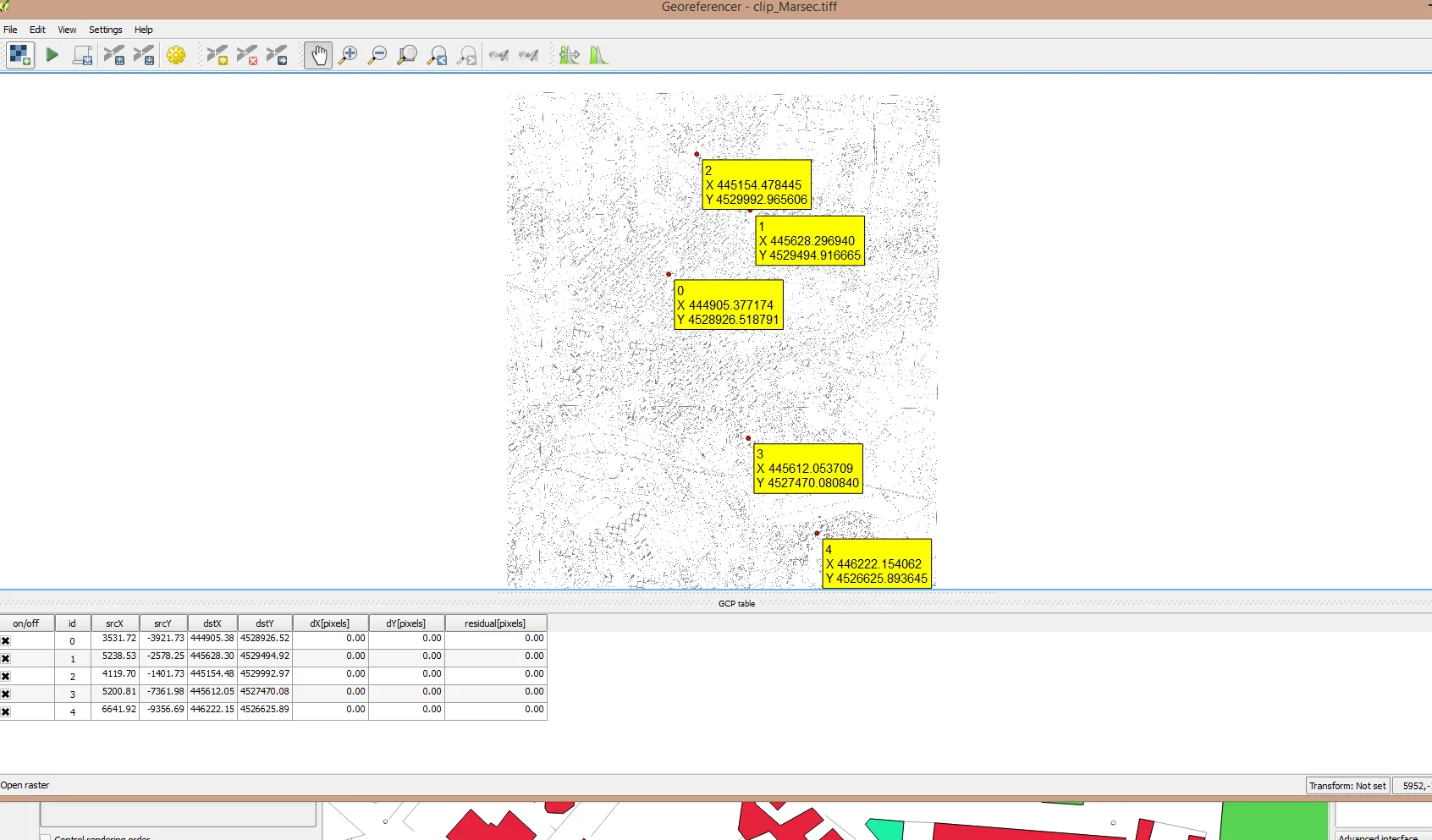
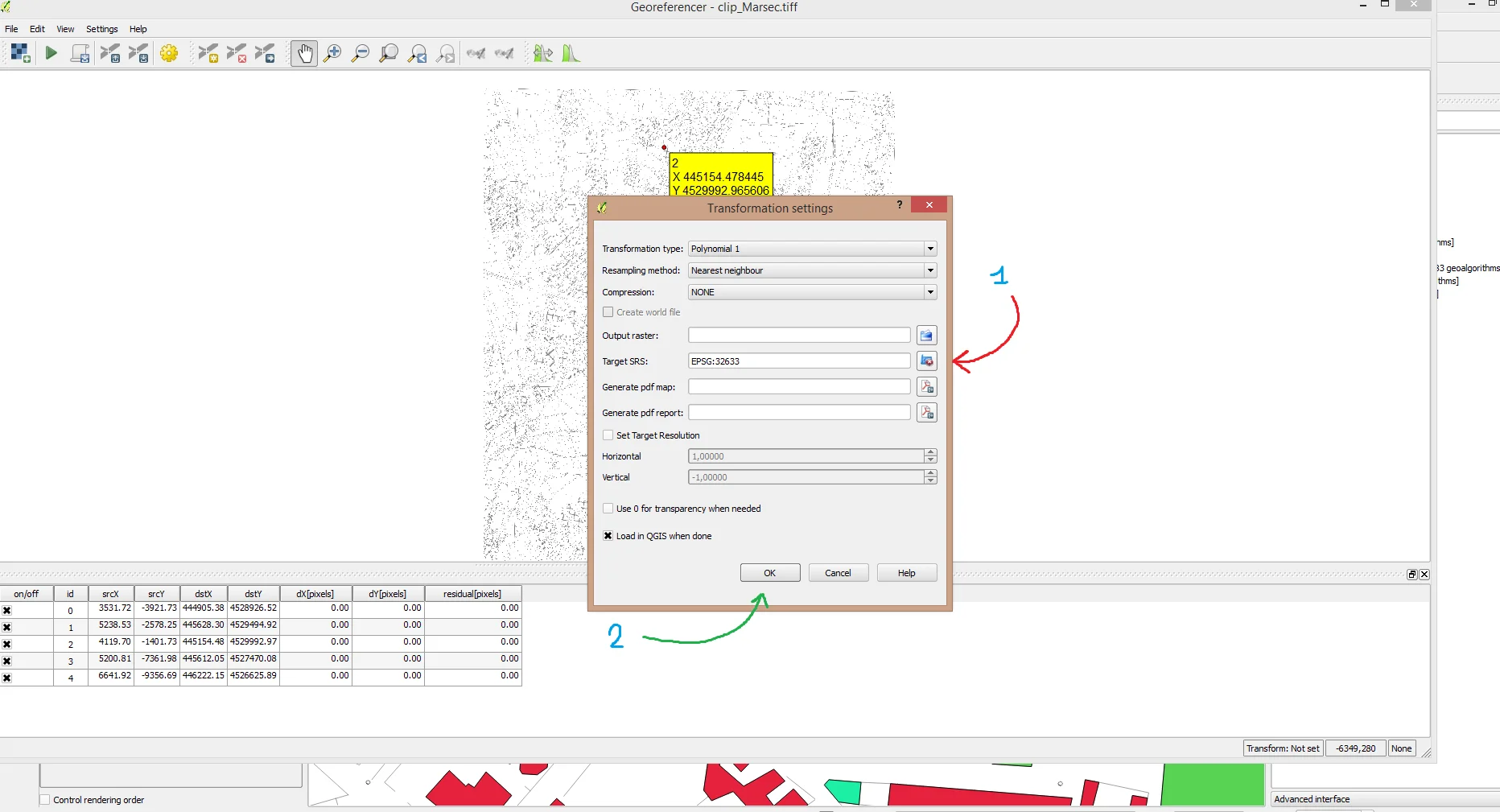
Now go to Setting > Transformation setting, it will open a window like the one below where you can enter the data necessary for georeferencing. I won't dwell on it. on the various types of transformation which will be analyzed in another article. The shape on which I took the references for the raster has the WGS84/UTM zone 33N as its SRS, i.e. EPSG 33633; I then selected the reference system and clicked on "Ok" as shown in the following image.
We're almost done. All we have to do is click on File > Start georeferencingor on the green arrow icon at the top left. He will come georeferencing has been performed and the result will be the following:
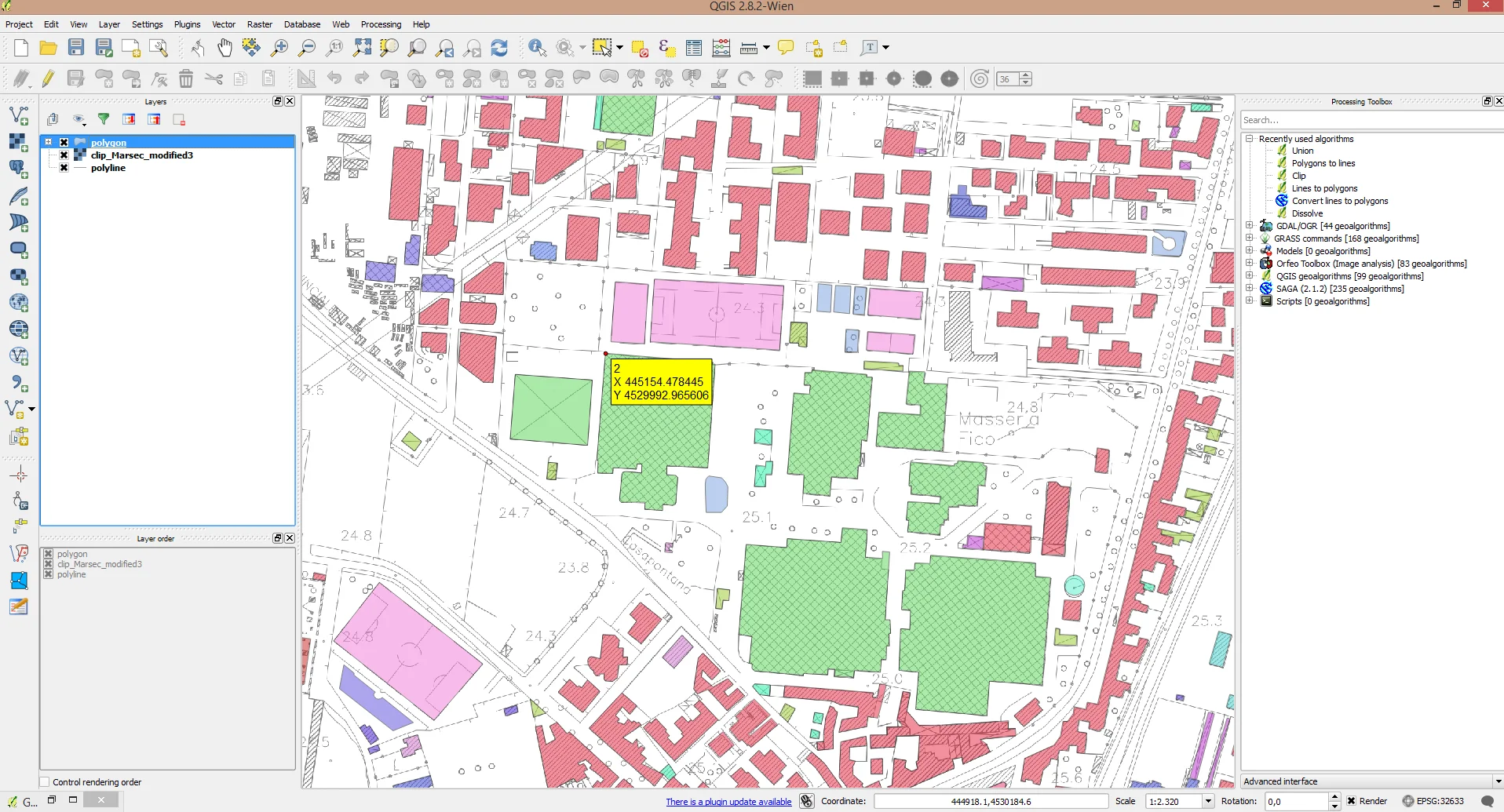
At this point, close Georeferencer, the choice is yours whether to save the GCPs obtained or not, if you have to work on the raster again you should keep them like this. Don't waste time georeferencing everything again.