
A few days ago a customer contacted me asking for support in uploading data to SINFI. He had tried to upload his data but he received a response ticket with the system rejecting the data because it was did not respect the directives of upload and among the errors found, one referred to the fact that the uploaded points were 2D rather than 3D.
With this tutorial I will explain to you how to easily convert a 2D point vector into a 3D one using QGIS, attached to the article you will also find a dataset with which to practice by retracing the steps that I will explain to you shortly.
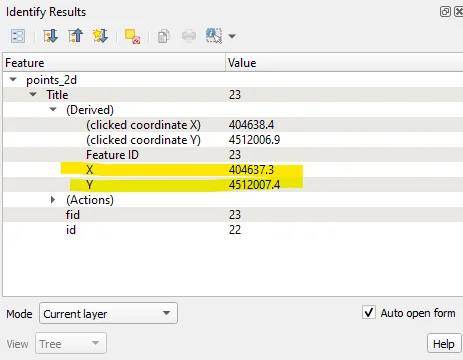
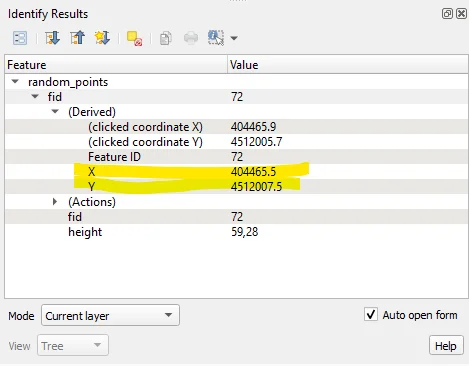
I created a vector of points with 100 random points that fall within the area of a DTM that I have available and that I have made available to you in the attachment as I said before. As you can see, when querying a point, only the X and Y coordinates are displayed.
Searching for "to 3D" in the Processing Toolbox will display the following list of geoalgorithms:
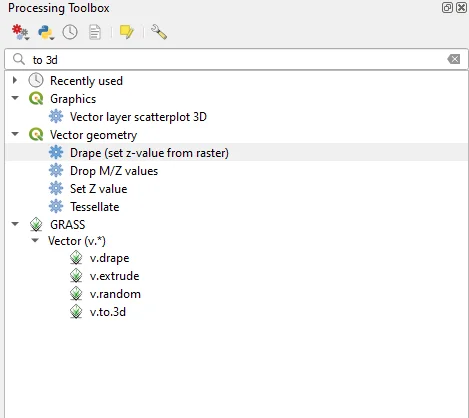
The geoalgorithms I will use they are:
- Drape (set z-value from raster)
- Set Z value
- v.drape
- v.to.3d
The first two are internal to QGIS, the other two are imported from GRASS.
Drape (set z-value from raster)
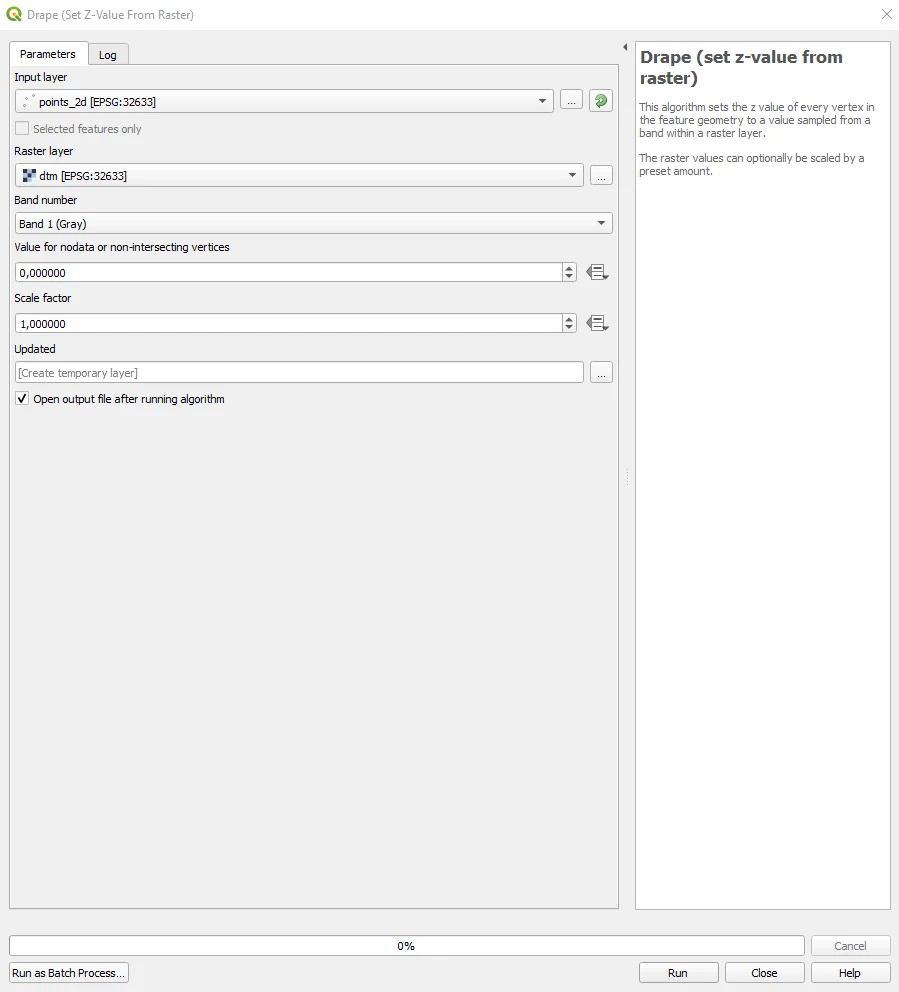
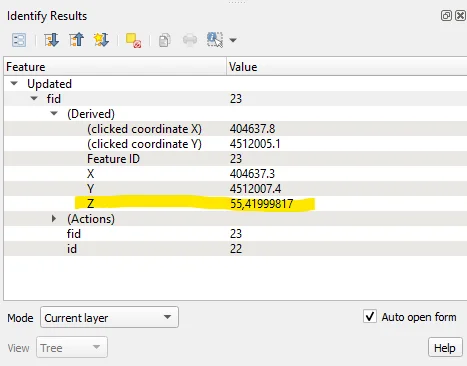
This is a geoalgorithm internal to QGIS that allows you to extract the elevation from a raster, a DTM or a DSM depending on the project needs, to be associated with a vector. He will come created a new vector at the end of the process which will have itself the altitude.
Set Z value
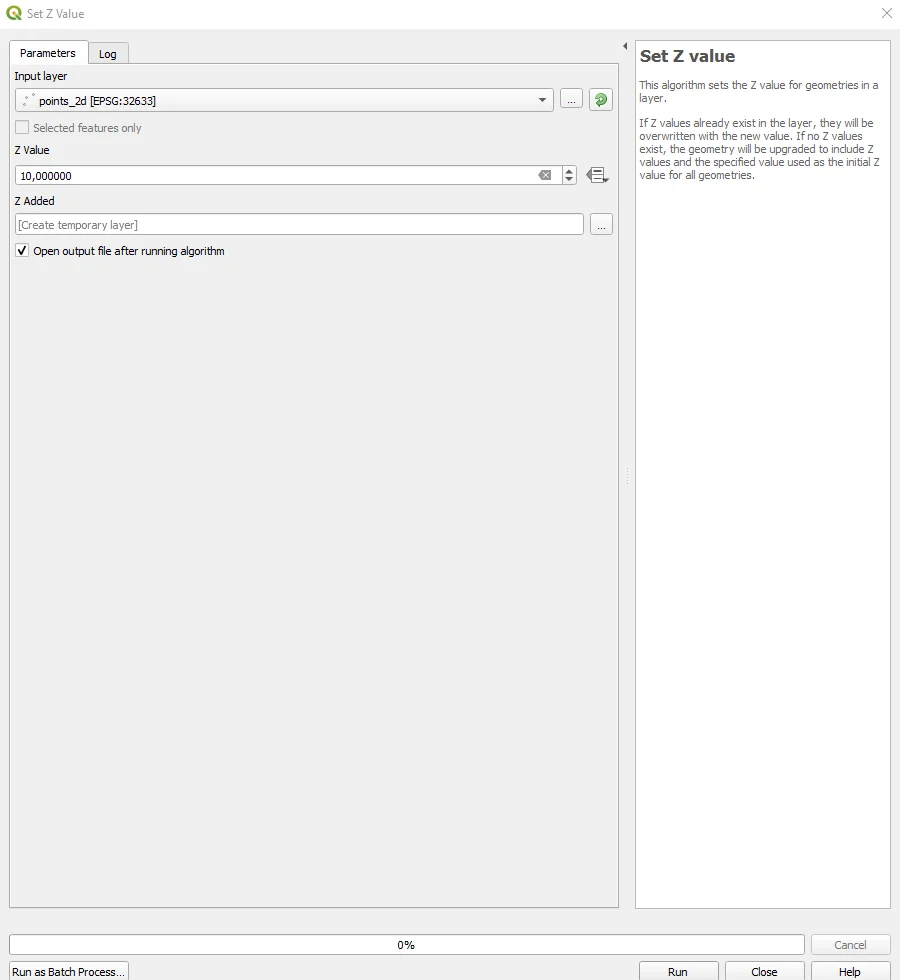
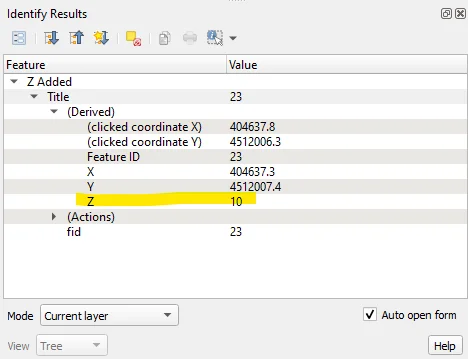
This is also a geoalgorithm internal to QGIS but unlike the previous one allows you to insert a constant height for all points and not one that varies depending on the morphology of the project area. At the end of the process you will be asked created a new vector that contains the inserted dimension inside.
The v.drape by GRASS is very similar to that of QGIS in the output but, in the insertion of the data necessary to start the operations of adding the altitude to the input vector, it allows a strong customization of the settings based on needs. Here you can find the list of settings necessary for its operation. I invite you to consult the guide at the previous link and perform some tests; I am convinced that you will be thrilled with the results and possibilities. offers from v.drape!
GRASS v.to.3d
I want to focus on this GRASS geoalgorithm rather than the previous one because it is allows a slightly different operation compared to the others: importing the elevation directly from a field of the input vector!
In one of the two vectors present in the dataset for the exercise there is one that despite having the quota field in the attribute table is not a PointZ but a simple Point.
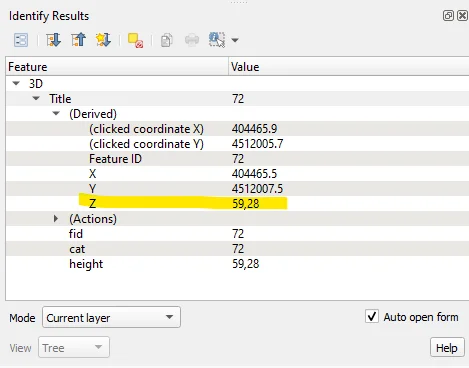
The v.to.3d geoalgorithm, as mentioned before, allows you to take this elevation value and use it to convert the input vector into PointZ, therefore into 3D.
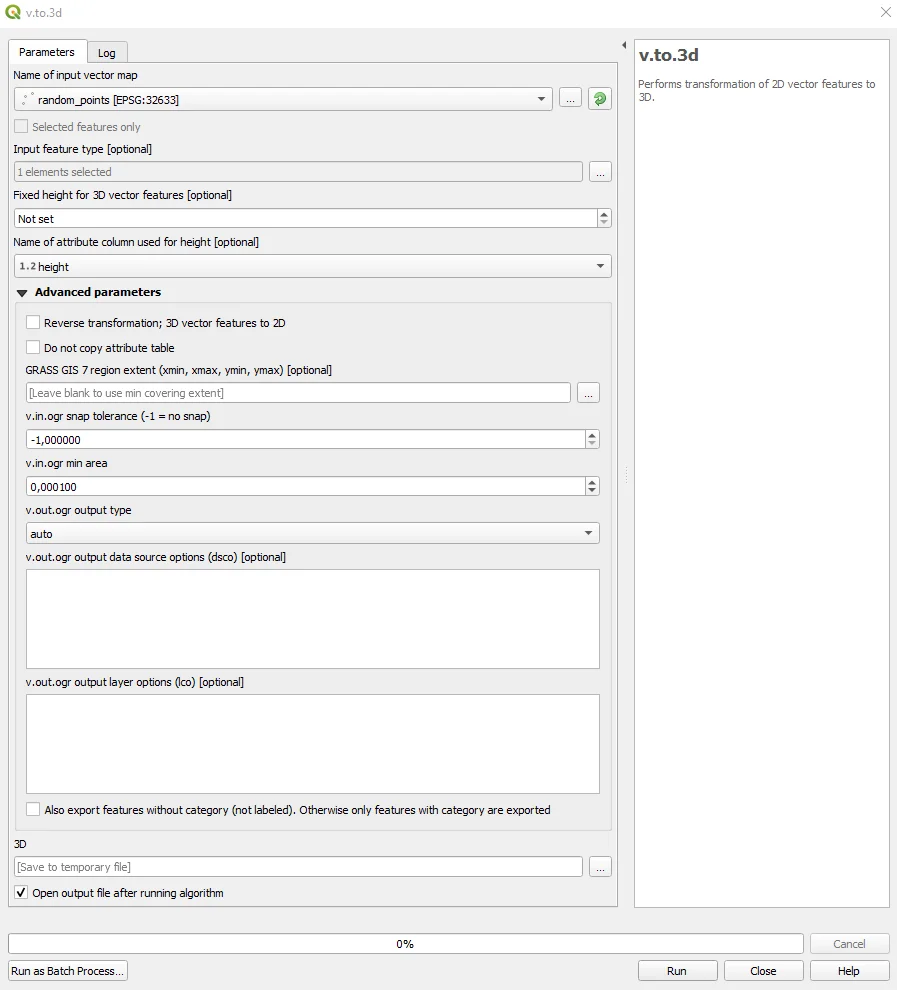
I invite you to learn more about all the parameters for setting the geoalgorithm by reading the official manual. The result of the process is a new carrier that will be three-dimensional as you can see below.
Python
Are you familiar with Python? See how to get the same solved with this JupyterNotebook :)