
A few weeks ago in the group GIS Italia this question was asked:
Hello everyone! Does anyone know how I can calculate the true area (i.e. the correct area based on altitude) bounded by a polygon in QGIS?
NB: I tried to calculate the area with the GRASS module "r.surf.area", where the dem is also inserted, but I get the same value that I get by calculating the area without taking the altitude into account.
Thanks
The answer I gave to this problem is that the calculation of the real surface of a DEM is function of both the morphology of the area of interest and the resolution of the DEM itself. Based on how these two data vary, one can to have or not have a consistent deviation between the calculation of the flat surface and the projected one. The girl who asked the question following the answers received verified that the air under examination was essentially flat and therefore the deviation between the calculated surfaces was very small.
Only now, with this article, have I had the chance to to give a small demonstration of this that I had written at the time.
Below I will go to make a comparison between the Ispra DTM which has a resolution of 20m/px and the DTM from LiDAR of the City Naples Metro which has 1m/px resolution.
The ISPRA DTM covers all of Italy and is available here, while that of the City The Naples Metro covers only the metropolitan area of the Campania capital and is available here.
The first step I took was to search for an essentially flat area; I found it in the area north of Naples.

Note the area, I ran a clip on both DTMs that I had available, then using the r.reclass geoalgorithm I defined three altimetric bands. I had previously analyzed the raster metadata and discovered that the maximum and minimum altitude was around 35 and 336 metres, respectively. Based on these data I divided the area into the following three altitude bands:
- 35 - 100
- 101 - 200
- 201 - 336
Once this is done I preferred to use the result coming from the DTM LiDAR for subsequent studies since it is more accurate. After extracting the bands, I converted the raster into a vector using the Poligonize (Raster to Vector) geoalgorithm.
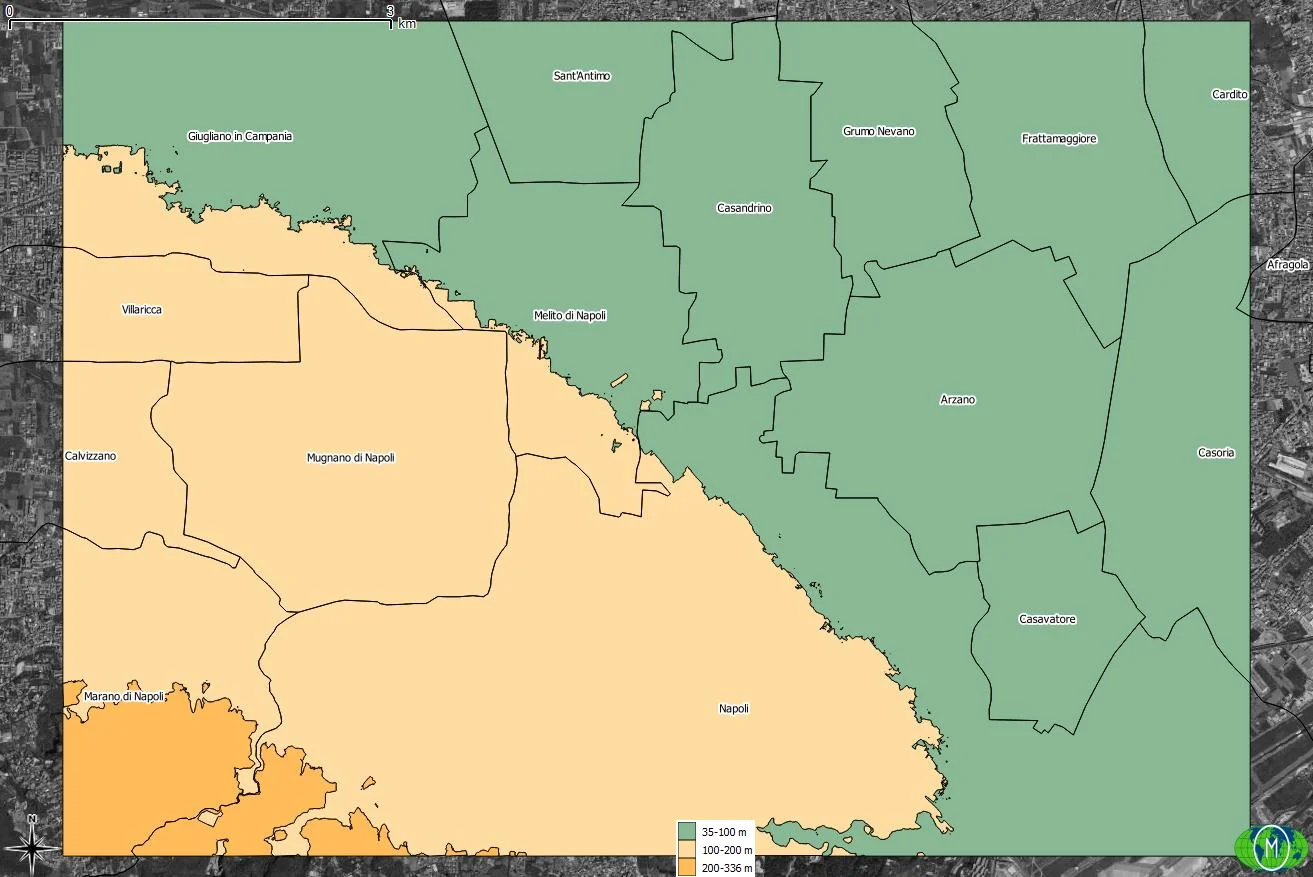
Once this is done I used the geoalgorithm Real Surface Area for extracting the raster of real surfaces. I recommend you watch Salvatore Fiandaca's video to see how it works.
The last step is It was necessary to use zonal statistics to insert the real extension of the three bands based on the two DTMs into the vector of the altimetric bands.
| Area (ha) | |||
|---|---|---|---|
| Altitude range | DTM 20m/px | DTM 1m/px | Vector |
| 35 - 100 | 3.506 | 3.523 | 3.515 |
| 101 - 200 | 2.381 | 2.414 | 2.384 |
| 201 - 336 | 234 | 254 | 233 |
| Total | 6.121 | 6.191 | 6.132 |
The previous comparative table must be interpreted as follows: with the 20m/px DTM there is a tendency to underestimate the real surface area of the areas, which does not happen with the 1m/px DTM in which there is a more precise result. precise. I remember that the area in question is mostly flat but despite this there is a total variation of 59 ha if we compare the total area of the vector and that of the DTM 1m/px; 1 ha is 10,000 m2, almost 1 regulation 11-a-side football pitch.
In the attachment you can download the QGIS project which contains the files used for this article.